

The other day I was reading the comments on my latest post, and one stood out immediately.
The reader asked: “Can we get a ranked LeetCode version of this? Call it Lit[erature]Code.”
Genius 💡
Think about it. We spend hundreds of hours grinding LeetCode patterns.
We memorize how to invert a Binary Tree, how to run a BFS vs DFS, how to optimize a Sliding Window. The internet is flooded with platforms, courses, and “Blind 75” lists to train our technical muscles.
But where is the training ground for the other side of our career?
Where is the “LeetCode” for writing a post that doesn’t put people to sleep? Where do we practice the algorithm of getting noticed?
There is nothing. Most engineers treat LinkedIn like a static log file, dumping dry updates and hoping someone parses them. But the feed is a Real-Time Stream Processing System, and if your data packet is boring, the user drops it.
It’s time to change the meta.
Don’t just grind algorithms. Start grinding impressions too.
Welcome to LitCode 🎉
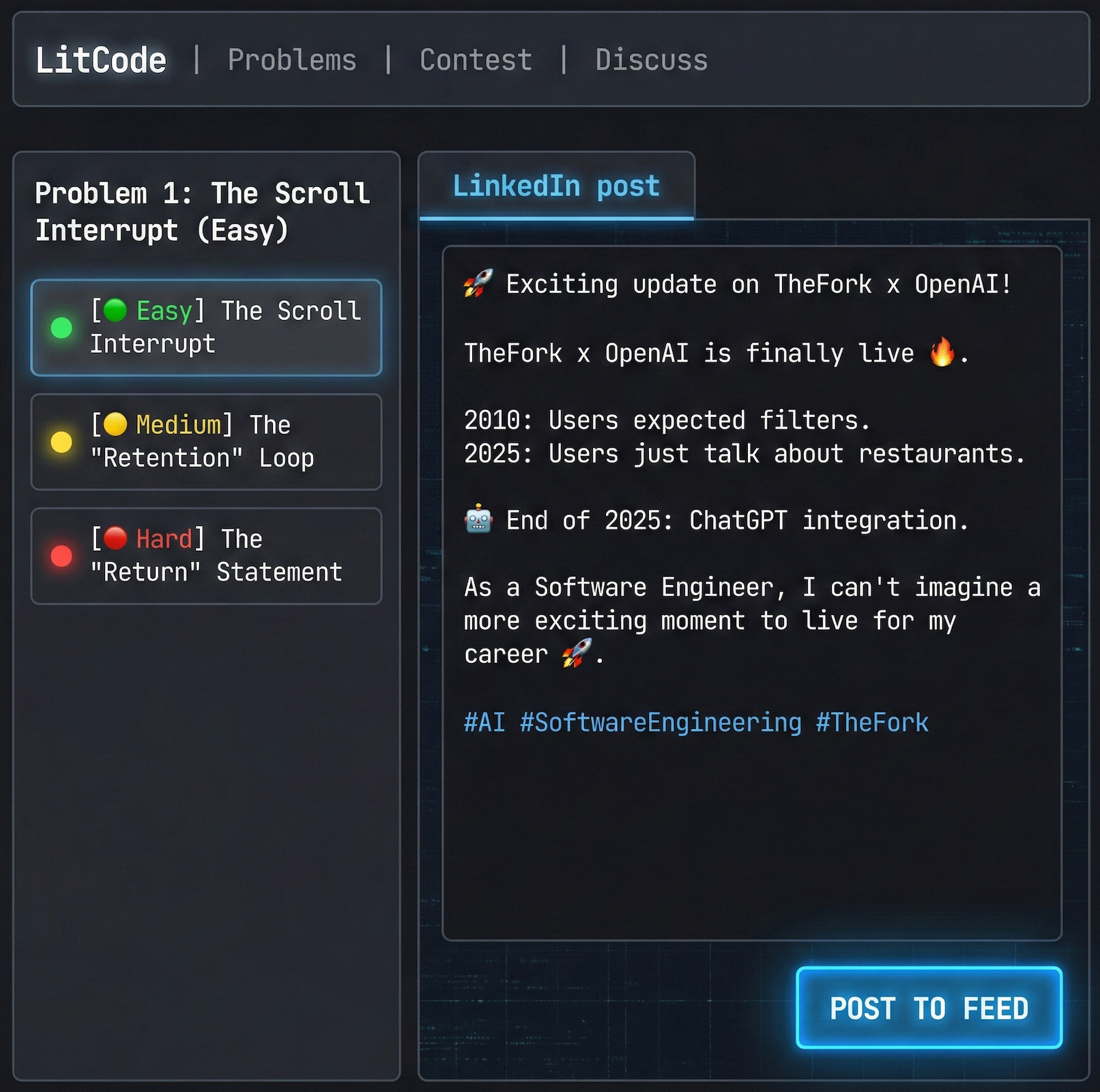
Here are 3 communication problems ranked by difficulty.
Your goal: Minimize the user’s cognitive load and maximize the execution time (reading).
Problem 1: The Scroll Interrupt 🟢 (Easy)
Topic: Latency & Interrupts
Input: A user scrolling at a speed of 10 posts per second.
Constraint: You have < 0.2 seconds to trigger a “Stop” event.
Most engineers fail here because they optimize for Accuracy instead of Attention. They write correct, polite introductions. This is a Time Limit Exceeded error waiting to happen.
❌ Brute Force Solution (The “Text-Only” Logger):
“Hello everyone! I am happy to share that I have written a new article about the differences between gRPC and REST APIs...”
Complexity:
O(N). The user has to read 15 words to find the topic.Result: Packet dropped. The brain filters this as “Background Noise.”
✅ Optimized Solution (The “Visual + Hook” Combo):
You need a Hardware Interrupt (Image) followed by a Low-Latency Header (Hook).
1. The Hardware Interrupt (The Image):
Don’t use stock photos of people shaking hands. Use Data Visualization.
Bad: A photo of a laptop.
Good: A benchmark graph comparing gRPC vs REST latency.
Why: Engineers are trained to spot patterns in data. A graph stops the eye automatically.
2. The Low-Latency Header (The Hook):
“REST is killing your microservices latency. 📉
We switched to gRPC and saved 40ms per request.”
Complexity:
O(1).Why it works:
Conflict: “REST is killing...” creates immediate tension.
Result: “Saved 40ms” proves value instantly.
Edge Case:
If you don’t have a graph, use a “Code Screenshot” with a visible bug or a controversial comment. Anything that breaks the visual pattern of the feed.
Problem 2: The “Retention” Loop 🟡 (Medium)
Topic: Parsing & Garbage Collection
Input: The user has clicked “See More”.
Constraint: The user will Garbage Collect (stop reading) the moment the text becomes dense or the logic becomes circular.
You captured the click. Now you have to keep the connection alive.
The biggest bug here is “The Wall of Context”. Engineers love to explain the history of the problem before the solution.
❌ Brute Force Solution (The Nested Loops):
“To understand why we chose this stack, we first need to look at the history of our legacy codebase, which was written in Java 8 in 2015, and at that time...”
Analysis: You are forcing the user to load dependencies (history) that they don’t care about.
Result:
Memory Limit Exceeded. The user leaves.
✅ Optimized Solution (The “F-Pattern” Layout):
Structure your data for the “Scanner” (the eye), not the “Compiler” (the brain).
The Problem Statement (Line 1-2): “Our API was too slow.”
The Solution (Bullet Points):
Moved to Go.
Implemented Redis caching.
Optimized SQL queries.
The Outcome (Bold): Latency dropped by 50%.
Technique: Use “Visual Breakpoints”.
Every 3 lines, insert a blank line or a list. This resets the user’s “attention buffer”.
Edge Case:
If the concept is complex, do not write a tutorial. Write a “Cheat Sheet”.
Instead of: “How to use
useEffectin React.”Write: “The 3 rules of
useEffectI wish I knew 5 years ago.”
Problem 3: The “Return” Statement 🔴 (Hard)
Topic: Conversion & Value Passing
Input: The user has finished reading.
Constraint: Most posts return void. They offer no next step, no value to take home, and no reason to follow.
This is the hardest problem. You wrote a great post, you got the likes, but you got zero business value (Followers, Leads, Reputation).
Why? Because your post was a Status Update, not a Resource.
❌ Brute Force Solution (The Void Return):
“...and that is how I solved the bug. Thanks for reading! #coding #tech”
Analysis: The transaction is over. The user consumed the content and left. You gained nothing but a vanity metric (View).
✅ Optimized Solution (The Value Return):
You need to return an object that the user can use.
Option A: The Asset
“I created a checklist of the 5 things to check before deploying to Prod. Link in the comments.”
Option B: The Open Question (Async Callback)
“I used Redis for caching. What is your go-to strategy for handling stale data?”
Option C: The “Series” Pointer
“This was Part 1 (The Problem). Tomorrow I will post Part 2 (The Code).”
Why it works:
Option A turns a reader into a lead.
Option B triggers the algorithm (Comments = Reach).
Option C ensures they follow you to see the conclusion.
System Output
If you apply these 3 patterns, your “System” (Profile) changes state:
Easy (The Interrupt): Your Impression count goes up. 📈
Medium (The Retention): Your Dwell Time increases (Algorithm loves this). ⏱️
Hard (The Return): Your Follower count grows. 👥
Your Homework for this week:
Audit your last 3 posts.
Did they return void? Or did they return Value?
Comment below with the “Error Code” you see most often in your feed. Let’s debug it together.